This is a guide to setting up STARTTLS support on your server
Let's break the guide into some easy steps:
For this step please see one of the relevant guides:
- First you will need a server email certificate for your mail server. You can obtain one from any server SSL certificate provider:
- RapidSSL
- Comodo
- Thawte
Follow their instructions to purchase and install the certificate on your machine. Hexamail should then see it in the certificates dropdown list when you configure SSL
- Next go to SMTP Server/Network/ and enable the SSL port and leave it on 465 (default)
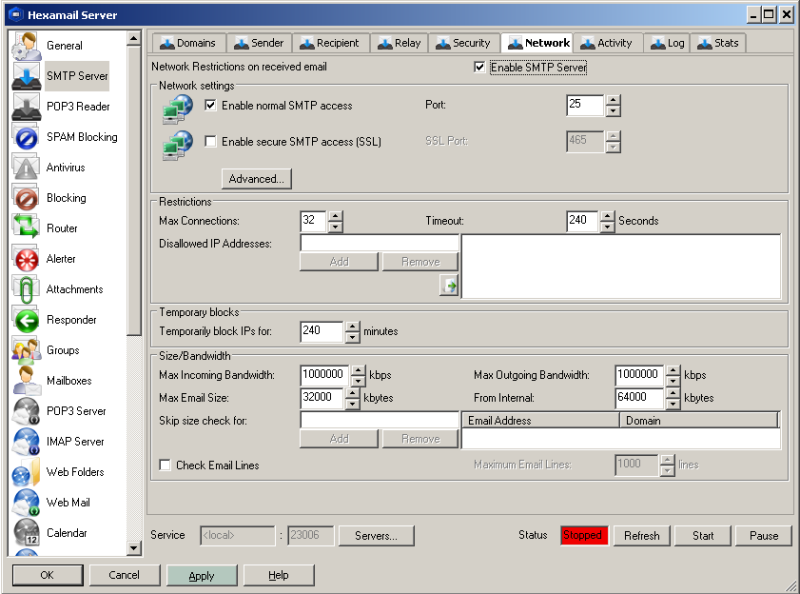
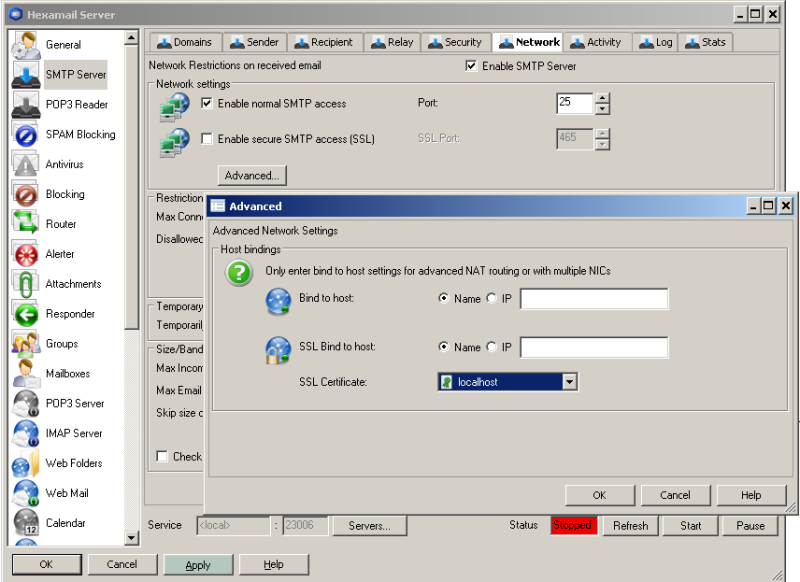
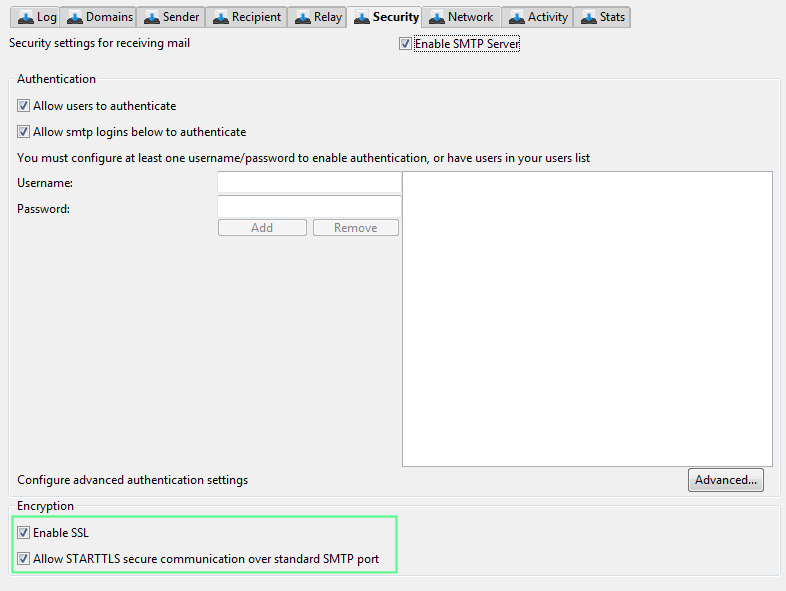
- Next go to SMTP Sevrer/Security and ensure the STARTTLS checkbox is enabled
- Press APPLY and check the SMTP Server/Log for any warnings or errors
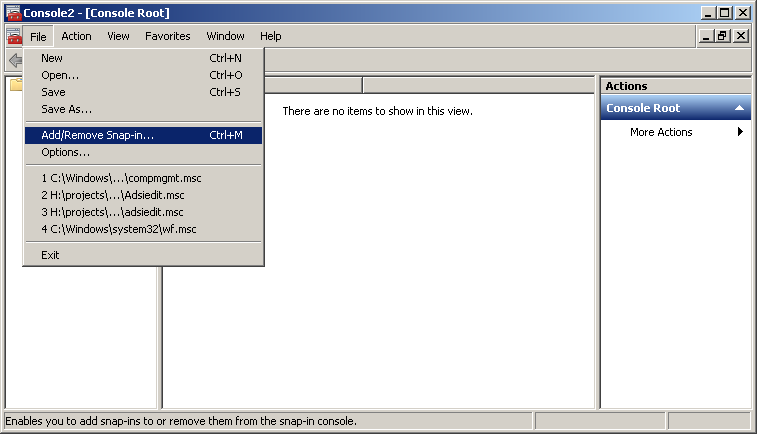
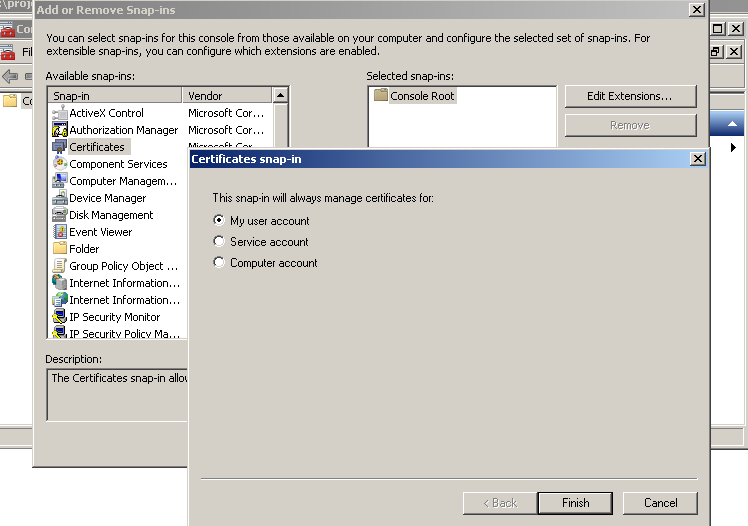
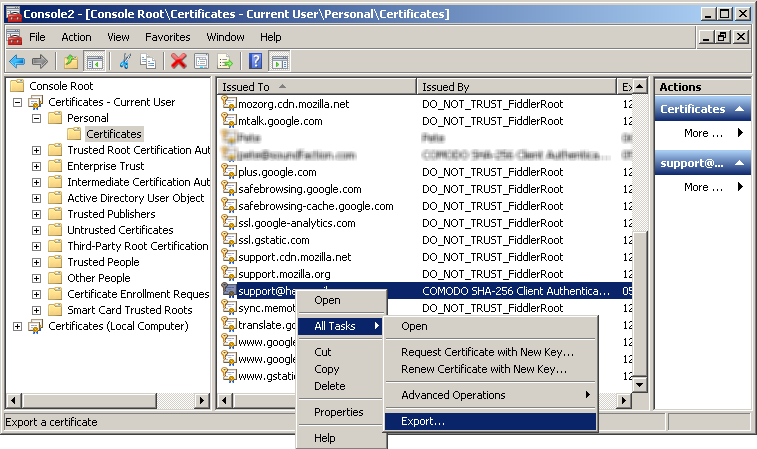
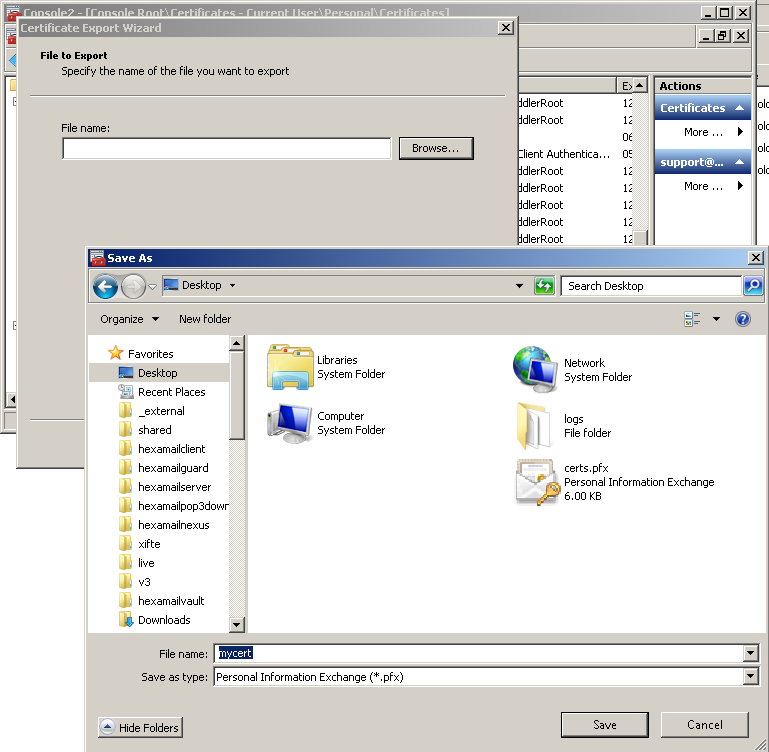
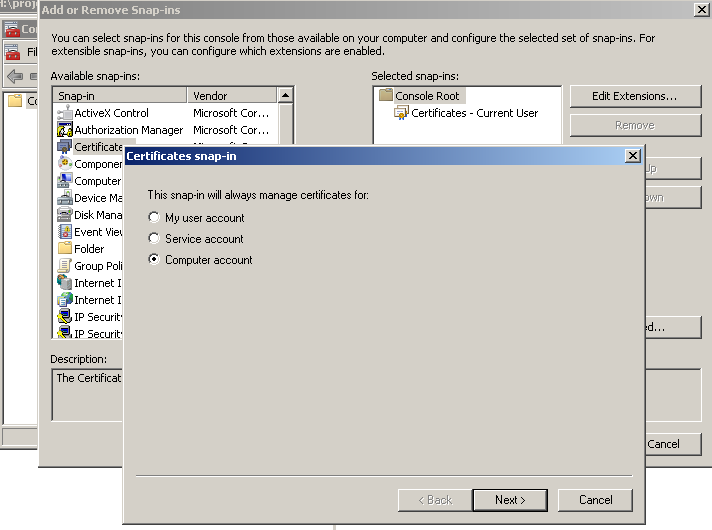
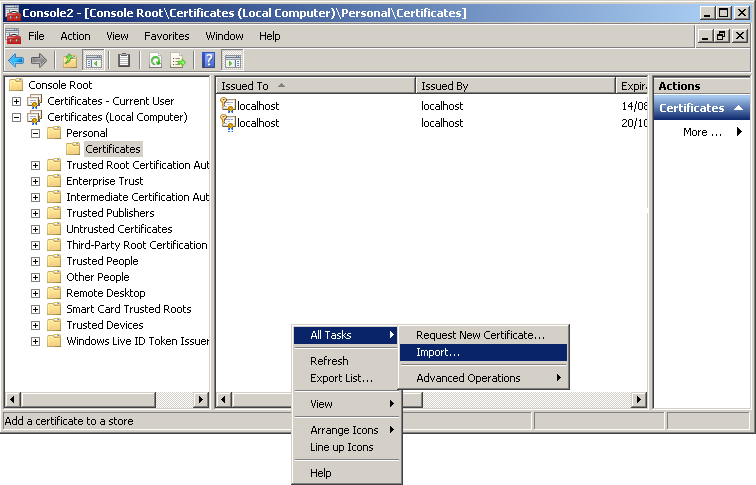
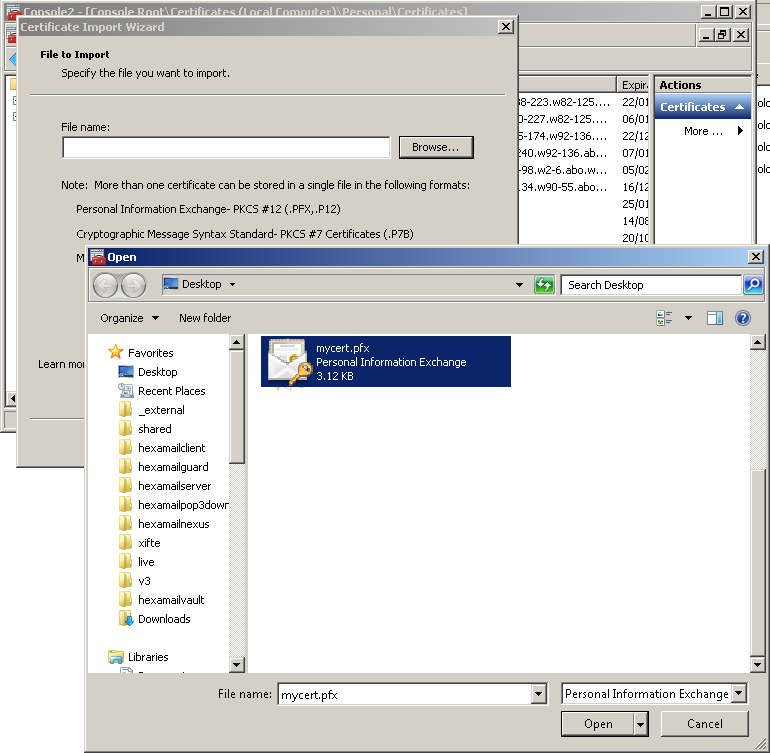
- In order to see new certificates in the SSL certificate dropdown list you need to use the Windows Management Console with the certificates snapin to import certificates into the Local Computer store where Hexamail, as a Windows service, can access them. If you don't yet have a server SSL certificate you need to obtain one. Once the certificate is installed open Microsoft Management Console by doing Start-> Run->mmc and pressing enter.
Hexamail Guard, Hexamail Server and Hexamail Nexus all support STARTTLS for opportunistic TLS encryption on SMTP connections, as well as dedicated SSL ports (465) for always-encrypted connections. Enabling STARTTLS requires only a server SSL certificate and a single configuration change in the administration interface, making it one of the quickest improvements you can make to your email security posture.